Welcome to Cute Plot
Lightning-fast power systems visualisation for power system engineers
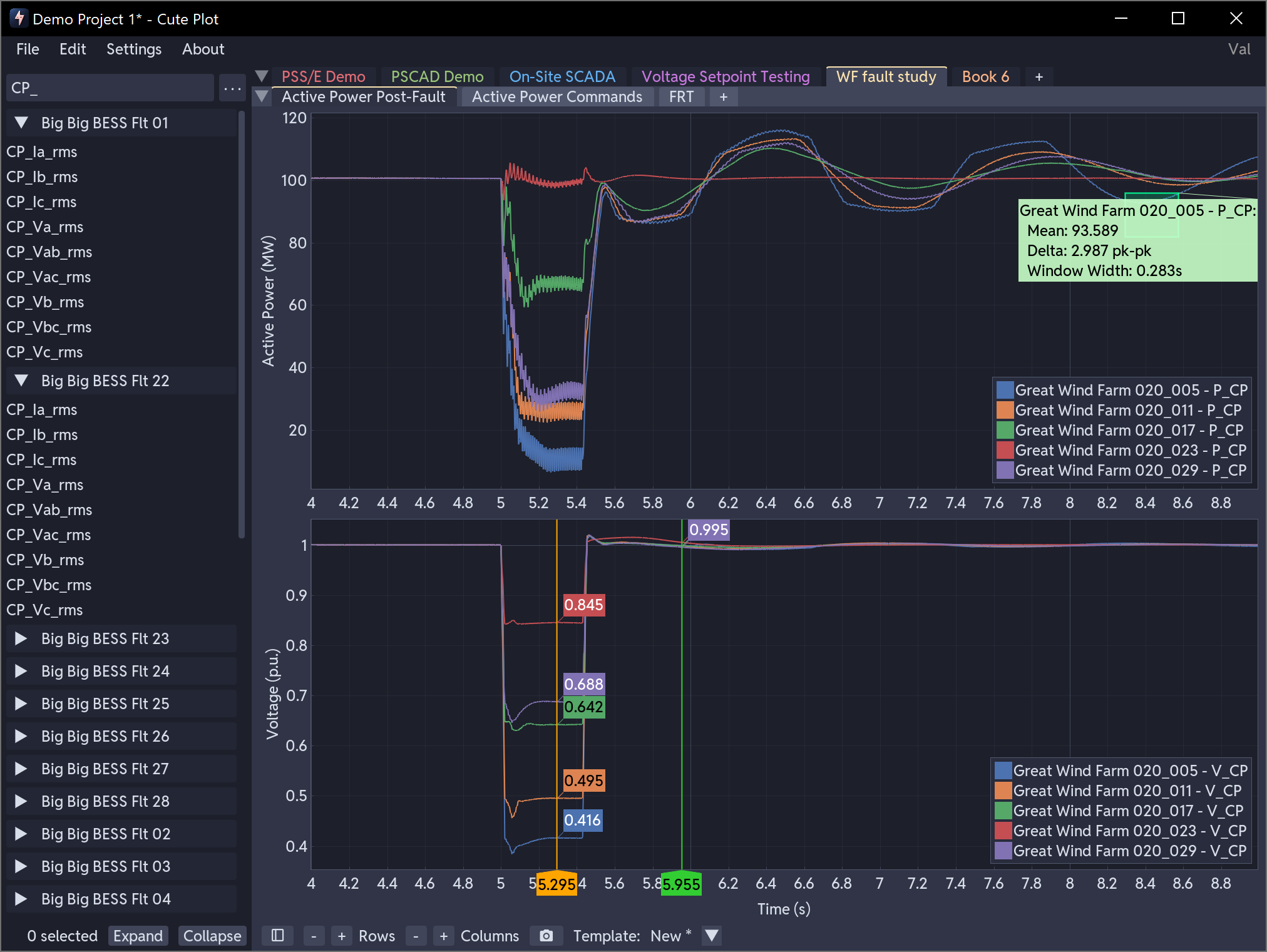
Cute Plot is a fast time series plotting tool for power systems analysis. It is designed to be a time-series data visualisation power tool, built to get simulation results and site measurements on screen quickly, so you spend your time diagnosing problems and coming up with solutions, rather than fiddling around with data.
New to Cute Plot?
Start with the Quick Start. In one session you will load data, plot signals, measure values and annotate your findings.
Key Features
- Multi-format file support - load CSV, Excel, Parquet, PSCAD and PSS/E files. Drag and drop them, or use the file browser.
- Interactive plotting - a subplot grid with synchronised X-axes, box zoom, pan and scroll zoom. GPU-accelerated rendering keeps datasets of more than a million points smooth at 60+ FPS.
- Templates - save a subplot layout, series names, axis settings and transformations.
- Search and filter series by name using wildcards, boolean logic and value-based queries.
- Data transformations - scale and offset series from the legend or from a template. Useful for unit conversions and time alignment.
- Query rectangle - Ctrl+drag to select a region and read off its statistics: min, max, mean, dominant frequency and NER rise and settling times.
- Annotations - horizontal reference lines with intersection detection, vertical time markers, markers linked across subplots and draggable text labels.
- Power systems analysis - NER 233 and NER 234+ calculations for rise time, settling time, recovery time with reference lines drawn on the plot. FFT Analysis options.
- Screenshots - capture the plot to PNG in one click, copied to the clipboard automatically.
- Undo and redo, and keyboard shortcuts for the actions you use most.
- Save and load your workspace, and share it with others.
Documentation Sections
-
Getting Started
New to Cute Plot? Start here for installation guides and your first plots.
-
User Guide
Detailed reference for every feature: file formats, plotting, querying, transformations, annotations, templates and configuration.